
How to Wipe Your iPhone Before Selling It (And Why It Matters)
Selling your iPhone is a smart way to recover some value, especially if you’re planning an upgrade. But before you pass it on, there’s one step that shouldn’t be rushed - wiping your data properly.
A quick delete of photos or apps isn’t enough. Your device stores personal information, account access, and saved data that needs to be removed completely. If this step is missed, it can create issues for both you and the next user.
The good news is that preparing your iPhone for sale doesn’t take long, and once done properly, it makes the entire process smoother.
Why Wiping Your iPhone Is Essential
Your iPhone is linked to your Apple ID, which controls access to iCloud, apps, and device activation. If it’s not removed correctly, the phone can remain locked.
According to Apple Inc., users should always sign out of their Apple ID and erase all content before selling or giving away a device.
Skipping this step can lead to:
- Activation issues for the next user
- Personal data exposure
- Delays when trying to complete a sale
Taking a few minutes to reset it properly avoids all of this.
What to Do Before You Erase Your iPhone
Before wiping your phone, it’s worth going through a quick checklist.
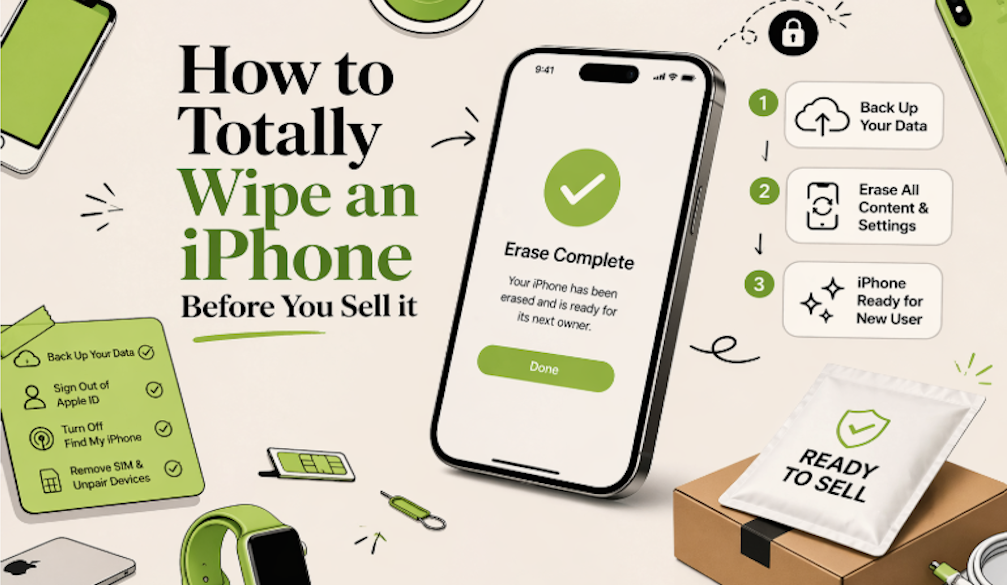
Start by backing up your data. This ensures you don’t lose photos, contacts, or anything important. Once that’s done, sign out of your Apple ID. This removes the connection between you and the device.
It’s also important to turn off Find My iPhone, as this feature can prevent the next user from activating the phone. Removing your SIM card and unpairing any connected devices, such as an Apple Watch, helps complete the process.
These steps don’t take long, but they make a big difference.
How to Wipe Your iPhone Properly
Once everything is backed up and disconnected, you can reset the device.
Head into your settings and follow the reset option to erase all content and settings. The phone will restart and return to its original setup screen.
When it powers back on, you should see the “Hello” screen - this confirms that all data has been removed and the phone is ready for its next user.
What If the iPhone Isn’t Working?
Not every phone is in perfect condition. Some devices may have screen damage, battery issues, or may not turn on at all.
Even in these cases, your data can still be protected. If the phone is linked to your Apple account, you can remove it remotely through iCloud. This ensures it’s no longer tied to your identity.
It’s also worth knowing that a non-working phone can still be sold. Many buyers accept devices in various conditions, including those that are partially damaged or completely dead.
Choosing How to Sell Your iPhone
Once your phone is wiped and ready, you have a few options.
Some people prefer selling privately, which can sometimes offer a higher price but requires more time and effort. Others choose official trade-in programs, which are simple but often provide store credit instead of cash.
Another option is using a trade-in or buy-back service. These platforms offer a more streamlined process, where you receive a quote, send your device, and get paid after assessment. For those looking for a straightforward approach, this tends to be the most practical route.
For example, services that specialise in letting you sell your iPhone online like ReUse Mobiles are often used by people who want to avoid the back-and-forth of private listings while still getting a fair return.
Common Mistakes to Avoid
A few small oversights can cause delays or reduce the value of your device.
Forgetting to sign out of iCloud is one of the most common issues. If Activation Lock is still enabled, the device can’t be reused easily.
Not resetting the phone fully is another mistake. Simply deleting files doesn’t remove everything.
Leaving your SIM card inside the device or not backing up your data can also create problems later on.
Taking a moment to check everything before sending your phone can save time and prevent complications.
Final Thoughts
Wiping your iPhone before selling it is a simple but essential step. It protects your data, ensures the device can be reused, and helps the sale go through without issues.
Once that’s done, the rest of the process becomes much easier. Whether you decide to sell privately, iPhone trade in, or use a buy-back service, your device is ready for its next life.
 "Pin It")